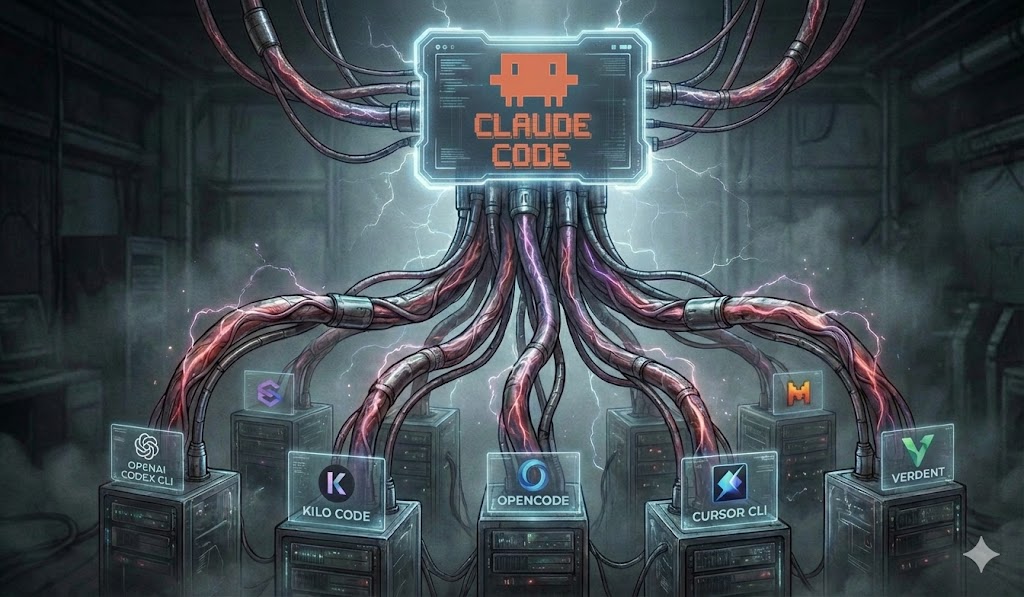
Every coding model has blind spots. Ask one model to review your migration plan and it will catch real problems — but it will also quietly miss the race condition a different model would have flagged on the first pass, wave through the rollback step that a third model would have called out as underspecified, and confidently propose a refactor that a fourth would have warned breaks an edge case. None of these models is wrong, exactly. They just each see a different slice of the problem.
The usual workaround is to do this by hand: paste your plan into one tool, then another, then a third, read three different walls of text, and try to reconcile them in your head. It works, but it’s tedious enough that you stop doing it — which is precisely when the bug you would have caught ships.
multi-llm is a Claude Code plugin that automates exactly that workflow. It fans a single piece of work — a plan review, a code review, a free-text question — out to several CLI-based LLMs in parallel, validates and consolidates what they say, and hands Claude Code structured instructions to apply the results. You get the wisdom of a crowd of models without the copy-paste tax.
Here’s a quick walkthrough of the plugin in action:
👉 Get it on GitHub: github.com/beastlabai/multi-llm-plugin
Free and open source under the MIT license. Install instructions, full documentation, and source — everything you need to get running is in the repo.
The core idea
The premise is simple: independent reviewers catch more than any single reviewer, and that holds for LLMs just as it does for humans. Different models, trained differently, make different mistakes — so where they agree, you can be more confident, and where they disagree, you’ve found exactly the spots that deserve a closer look.
multi-llm orchestrates a panel of these models across Cursor Agent, Gemini CLI, Grok Build, Codex, OpenCode, Kilo Code, Cline, goose, Aider, Antigravity CLI, Pi, and Claude Code itself. Each runs as a CLI you’ve already installed and authenticated; multi-llm just coordinates them.
And the diversity runs deeper than the models alone. You aren’t just polling different LLMs — you’re polling different code harnesses. Codex, OpenCode, Cursor Agent, Gemini CLI, Grok Build, Kilo Code, Cline, goose, Aider, Antigravity CLI, and Pi each wrap their model in a distinct agent scaffold: different system prompts, different tools, different context-gathering strategies, different ways of reading your repo. Two harnesses running the same model can still surface different findings, so combining harnesses adds a second, independent axis of variety on top of the model differences. More independent vantage points, more blind spots covered.
The one design decision that makes all of this safe to use day to day:
The orchestrators never touch your code. Each model produces JSON — suggestions, findings, fixes — and Claude Code applies them through its own tools. Every change stays reviewable, attributable, and yours to approve.
The external models advise. Claude Code acts. You stay in the loop.
A workflow, not just a review
multi-llm isn’t a single command — it’s a pipeline that mirrors how a change actually moves from idea to merged code. You write a plan (just a markdown file describing the change — a feature spec, a refactor outline, a design doc), point the plugin at it, and walk through as many of these phases as you need:
- Review the plan (
--review-plan) — multiple models critique your plan before you’ve written a line of code, when fixing it is cheapest. - Apply suggestions (
--apply-suggestions) — fold the validated feedback back into the plan. - Generate tasks (
--generate-tasks) — turn the high-level plan into concrete implementation tasks. - Review the tasks (
--review-tasks) — sanity-check the breakdown with the panel before building. - Implement (
--implement) — execute the tasks via Claude Code subagent delegation. - Review the code (
--review-code) — review the actual diff against the original plan. - Apply fixes (
--apply-code-fixes) — apply the validated fixes from that review.
Run them one at a time as you go, or chain the whole thing end to end with --full. Each phase writes its state and artifacts to a directory right next to your plan (plans/my-feature.md → plans/my-feature/), so a workflow is fully portable — commit the folder and its entire history travels with it.
And when you don’t want the full pipeline, there’s --ask:
/multi-llm:multi-llm --ask plans/my-feature.md "Is the rollback strategy sufficient?"That’s a read-only Q&A side channel: every model answers the same question about your plan, and you get one consolidated markdown answer. No edits, no tasks — just the panel’s collective take.
You curate; nothing applies itself
A review doesn’t go straight to your code. It produces a consolidated report that you review and curate first — and you can do that in whichever format suits you:
- As Markdown. Open
report.mdin any editor. Every suggestion carries its validation status, the model that raised it, and a- [ ] Skipcheckbox. Tick the ones you want to exclude (- [x] Skip), save, and the apply phase filters them out. Perfect for a quick pass in your editor or agit-diffable record of what you decided. - As an HTML page. Prefer something more interactive? The same review is rendered as
report.html— a self-contained page where you skip findings, override a validation verdict, edit a suggestion’s description before it’s applied, or route an item to “Let Claude decide,” all with clicks. Your choices are saved alongside the report and take precedence over the Markdown checkboxes.
Either way, you decide which of the panel’s suggestions are worth applying — per suggestion, not all-or-nothing — before a single line of your code changes.
When the models disagree
Consolidation is where a tool like this earns its keep, because the interesting cases are the ones where the panel doesn’t reach consensus. When models disagree or a suggestion is borderline, multi-llm marks it needs-human-decision rather than silently picking a side.
By default, you’re prompted to approve or skip each of these — and every prompt also offers a “Let Claude decide” option that hands just that one judgment to a Claude subagent. Unlike a blanket approve-all, this is a per-item call that can salvage a partially-valid finding: it trims the suggestion down to its worthwhile core, applies that, and skips only the parts with nothing worth keeping. The generated HTML report badges every finding Approved / Salvaged / Skipped so you can see exactly what happened and why.
Prefer to stay hands-off entirely? Add --claude-decide to have Claude judge every ambiguous finding up front, or run the full pipeline unattended with --full --yes — zero prompts, start to finish.
Why it works the way it does
A few principles run through the whole design:
- Advice in, action out. External models emit structured instructions; Claude Code makes the edits. Nothing changes your tree without going through tooling you can review.
- State lives with the plan. Every artifact is written next to the plan it belongs to, so workflows are portable and self-contained — no hidden global state.
- You set the autonomy level. Approve each ambiguous finding by hand, delegate the judgment call to Claude per-item, or run the entire pipeline unattended. Same plugin, dialed to how much you want to be in the loop.
The result is a tool that makes “get a second (and third, and fourth) opinion” cheap enough that you’ll actually do it — on the plan, before the code exists, and on the diff, before it merges.
Try it
multi-llm is open source under the MIT license. Point it at your next plan and see what a panel of models catches that one would have missed.
→ github.com/beastlabai/multi-llm-plugin — install, docs, and source.
multi-llm is maintained by BeastLab.ai. Neither BeastLab.ai nor the multi-llm plugin is in any way associated with, affiliated with, endorsed by, or sponsored by any of the code harnesses it coordinates — including Claude Code, Cursor, Codex, OpenCode, Gemini CLI, Grok Build, Kilo Code, Cline, goose, Aider, Antigravity CLI, and Pi — or any of the LLM providers referenced here. The plugin simply invokes these tools as separate CLIs you install and authenticate yourself. All product names, logos, and trademarks are the property of their respective owners. The plugin is provided as-is, with no warranties of any kind.